Stay up-to-date on everything going on at the School of Politics, Security, and International Affairs with our new channel on the UCF mobile app. We’ll be updating it with events regularly so make sure you have notifications turned on to not miss out.
Follow these steps to subscribe:
-
- Go the Apple App Store / Google Play Store

- Go the Apple App Store / Google Play Store


- Download/Install the UCF Mobile app
- Open the app
- Select the ‘Student, Faculty, Staff or Guest’ option
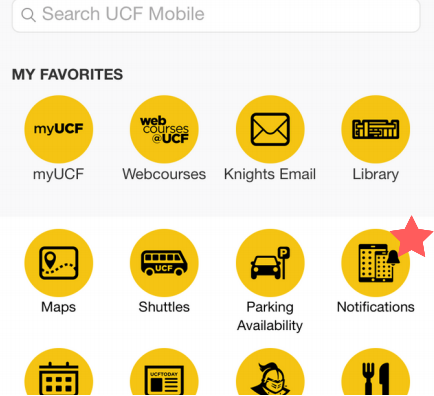
- Click ‘Notifications’
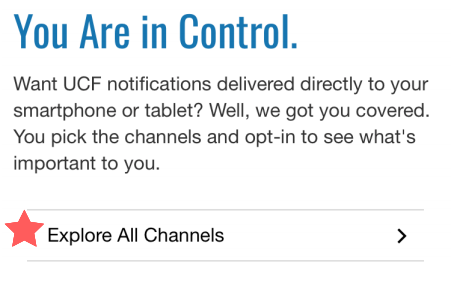
- Click ‘Explore All Channels’
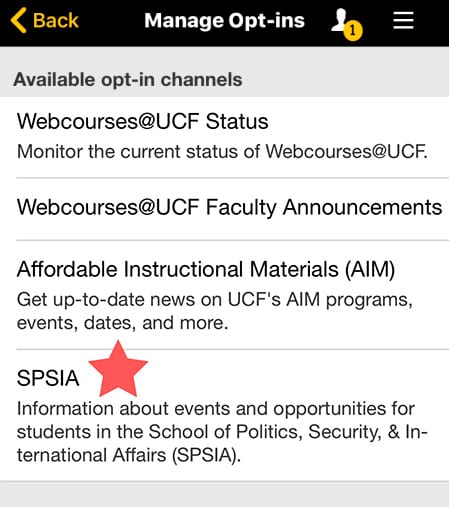
- Under ‘Available Opt-in Channels’, click ‘SPSIA’
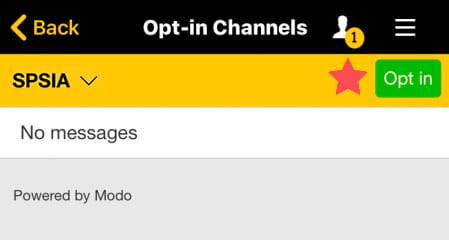
- Click the green Opt-in button